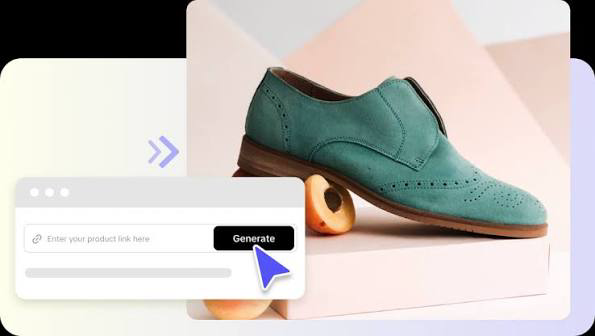
Shoes get stepped in, kicked off, and shoved under beds, so imagine how much they have to say. A talking photo of a sneaker can turn that pent-up commentary into a short, funny product story people actually watch to the end. With Pippit, you don’t need a stop-motion rig or a mascot costume. You need a picture of a shoe, a couple of jokes, and a few minutes. If you sell footwear, or you just think loafers are secretly snobs, keep reading. Then open Pippit and lace up your first character.

Sneakers have opinions, apparently
Think about everything a shoe witnesses. Rainy sidewalks, awkward first dates, the dash for the bus. Shoes have a front-row seat to your life, and none of them get a say. That gap is where the comedy lives. A boot complaining about mud, or a heel sighing at a staircase, is instantly relatable, because everyone knows the feeling. Humor also lowers the guard of viewers who’d normally scroll right past an ad. They came for the joke and stayed for the shoe.
Find your sole mates
Different footwear suggests different personalities. A few matches that tend to work:
- Running shoes: anxious overachievers who check the time constantly.
- Loafers: smooth, a bit snobby, convinced they’re better than socks.
- Work boots: grumpy veterans with strong opinions about puddles.
- High heels: dramatic, with a flair for entrances.
- Flip-flops: relaxed to the point of irresponsibility.
Lacing up your video in three steps
Pick a shoe, any shoe. Here’s the quick route through Pippit.
Step 1: Introduce the shoe
Sign in to Pippit and choose Video generator.
Select the AI tool that gives a still image a speaking voice, then upload a clear picture of your shoe by clicking the upload area or dragging the file in. The picture needs to be 256×256 pixels or larger. Tick the box confirming you can use it, then click Next.
Step 2: Write its complaints
Go to Read out script and type your shoe’s dialogue. Pick a language, try a few voices until one has the right attitude, and choose captions in a style that matches. Click Save. If you’d rather voice the shoe yourself, open the Upload audio clip tab to add your recording or choose a trending clip.
Step 3: Take it for a walk
Press Export and rename the file. Decide whether to keep the watermark, and set the resolution, quality, frame rate, and format. Click Download, and your shoe’s debut is saved to your device.
Squeaks, stomps, and shoe-sized sound effects
Footwear is basically a sound effect with laces, which makes SeedAudio 1.5 a natural partner for this kind of project.
Type a sound, get a sound
Describe what you want, like a squeaky gym floor or a heavy boot on gravel, and effects are generated from your text alone.
Footsteps that follow the footage
Give it a video and it reads the action, producing effects and atmosphere timed to each step and scuff.
Placed on the exact beat
With timestamps, a squeak can land right after the punchline instead of somewhere near it.
Tracks you can adjust one by one
Voice, effects, ambience, and music arrive separately. Too many squeaks? Turn that layer down and leave the dialogue alone.
Jokes that work in twenty seconds
Short-form humor needs a clear setup and a quick payoff. Start with the shoe’s problem: “Another rainy day, and I’m the only one getting wet.” Escalate once, then land the punchline. Don’t explain the joke. Avoid long monologues, because the voice has to carry the timing and short sentences are easier to deliver well. Reading your script aloud helps you catch clunky phrases. If you don’t smile when you say it, a viewer won’t either, so cut it and try something else.
Product stories without the hard sell
If you’re promoting real footwear, let the character mention the product’s benefits as part of its complaint. A running shoe boasting about its cushioning sounds funny. A waterproof boot gloating at a puddle shows off the feature without a single advert-style line. End with a gentle nudge, like “Go on, give me a better life.” People forgive a sales message when it comes wrapped in entertainment. Keep your tone playful and your claims honest, since viewers can smell an exaggeration from three shoes away.
Don’t trip on these
A few small things trip people up. Dark or cluttered backgrounds hide the shoe, so shoot against a plain surface. Angled shots confuse the face, so keep the shoe centered and add the eyes or mouth before you upload. Voices that don’t match the personality feel off, so a snobby loafer shouldn’t sound like a gym coach. And don’t forget captions, since many viewers watch without sound. Spend a minute on each of these and your clip will look far more polished than most.
Letting the shoes meet each other
A single talking shoe is funny, but two arguing shoes are better. Try a pair where the left one is a nervous perfectionist and the right one is a laid-back optimist. Their bickering gives you natural dialogue, and each line sets up the other’s reply. You can also stage a showroom scene with a sneaker, a boot, and a sandal debating who works hardest. Record each character as its own clip, then edit them together in order. The rhythm of overlapping personalities keeps viewers watching, and it shows off several products in a single short story without feeling pushy.
Take the first step
A shoe that talks is a story waiting to happen, and it only takes a picture to start one. Pippit gives you the tools to turn footwear into funny, memorable characters, whether you’re selling sneakers or just entertaining friends. Choose your favorite pair, give it a grumpy little voice, and let it tell its side of the story. Open Pippit now and watch your shoes steal the show.